

Top Free Multimodal AI Learning Resources in 2026 From Google Microsoft DeepLearningAI and More

Multimodal AI is no longer a niche skill. The same systems that answer text questions can now read images, summarize audio, describe video, and connect all of that with a user’s documents. That shift changes what beginners and working developers need to learn.
A few years ago, learning artificial intelligence often meant starting with math-heavy machine learning courses. That still has value, but the 2026 learning path looks more practical. The strongest free resources now teach how to prompt a model, test image and audio inputs, build retrieval systems, work with open datasets, and understand the infrastructure behind vision-language applications.
This guide highlights the top free multimodal AI learning resources available in 2026, with a focus on practical courses and open platforms from Google, Microsoft, DeepLearning.AI, Hugging Face, and NVIDIA.

Why multimodal AI is worth learning now
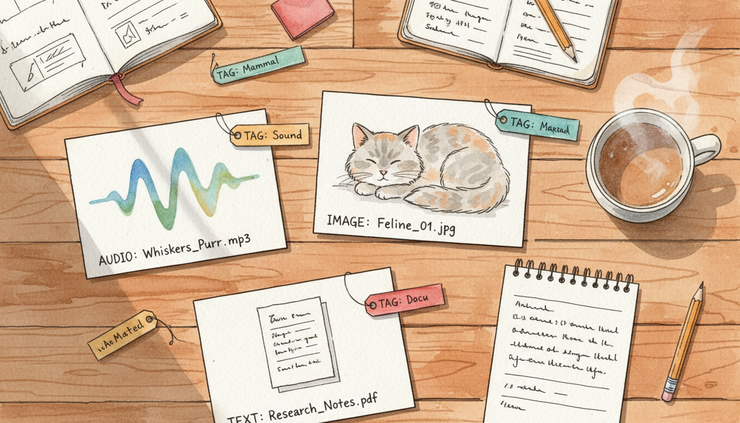
Multimodal AI means artificial intelligence that can work with more than one kind of input. A text-only tool reads and writes words. A multimodal system might handle text, images, audio, video, code, or document files in the same workflow.
That matters because many real tasks are not text-only.
A customer support team may need to inspect a product photo and read the customer’s message. A teacher may want to turn a recorded lecture into notes, quizzes, and visual summaries. A developer may need to build a search tool that answers questions from text documents, charts, and screenshots. A researcher may compare image datasets with written labels.
The best free multimodal AI learning resources share a few traits:
What to look for | Why it matters |
Hands-on examples | Multimodal AI makes more sense when you test prompts, files, images, or audio yourself. |
Beginner-friendly explanations | Clear lessons help avoid confusion around model inputs, context, and safety. |
Real developer paths | Guides from platform teams often show how to build working applications. |
Open models and datasets | Open resources help learners inspect examples, compare models, and practice without starting from scratch. |
Responsible use guidance | Multimodal systems can misread images, hallucinate details, or process sensitive data, so guardrails matter. |
A strong multimodal AI study plan should mix free multimodal AI learning resources with real practice. Reading a guide helps, but building even a small demo teaches more than passive watching.
Google Cloud Skills Boost helps beginners understand Gemini and audio workflows
Google Cloud Skills Boost is one of the clearest starting points for learners who want a structured path. It is Google Cloud’s training platform, and it includes introductory and intermediate lessons on generative AI, Gemini interfaces, and related cloud tools.
For multimodal AI, the main value is that Google’s learning paths often connect concepts to real tasks. Gemini is designed to work across different input types, depending on the interface and model version. That makes it a useful teaching example for prompts that include text, files, images, or audio-related workflows.
What to study first
Start with introductory generative AI modules before moving into Gemini-focused lessons. These usually explain the core ideas in plain language:
What a generative model does
How prompts guide model responses
Why model output can be wrong
How to evaluate answers before using them
How cloud tools connect to application workflows
After that, move to Gemini interface lessons. The practical goal is to understand how input format affects output. A prompt that works for text may need changes when an image, document, or audio transcript enters the task.
For audio transcription, focus on lessons that show how spoken input becomes text and how a model can summarize or analyze the result. The important idea is simple: many audio applications are two-step systems. First, speech becomes text. Then, a generative model works with that text.
A practical mini-project to try
Use an introductory Google Cloud Skills Boost path to build this simple workflow:
Transcribe a short audio file or use a sample transcript.
Ask a Gemini-based interface to summarize the key points.
Ask for action items, questions, or a study guide.
Check the answer against the original transcript.
Rewrite the prompt to reduce missing details.
This teaches three key skills at once: audio handling, prompt writing, and output review.
Why it belongs on this list
Google Cloud Skills Boost works well for learners who want a guided course style. It is especially useful for people who prefer modules, labs, and product-based examples over open-ended documentation.
The one caution is that cloud training catalogs can change. Some modules are free, while some labs or credentials may require credits or payment. When browsing, look for no-cost modules first and treat certificates as optional.
Microsoft Learn and GitHub show how developers build generative AI applications
Microsoft Learn is a strong resource for developers because it pairs written lessons with sample code, architecture guidance, and security notes. GitHub adds another layer by hosting public repositories, examples, and project templates that learners can inspect.
For multimodal learning, this pairing matters. A course can explain the idea, but a repository shows how files, prompts, model calls, and user interfaces fit together.
Microsoft Learn includes developer-focused material on generative AI concepts, prompt design, responsible AI, and application patterns. GitHub includes related examples that can help learners see how a multimodal application might accept images, text, or documents and produce a useful answer.

What Microsoft Learn is best for
Microsoft Learn is most useful when the goal is application building. Its guides often explain how a developer moves from concept to working project.
Look for modules and learning paths that cover:
Generative AI fundamentals
Prompt engineering
Responsible AI practices
Building applications that use model responses
Working with documents, images, or chat-style interfaces
Search-based answering from private content
The term “prompt engineering” can sound more complex than it is. In practice, it means writing clear instructions for a model, testing the output, and improving the prompt. Good prompt lessons teach learners how to give context, set a format, ask for uncertainty, and check results.
How GitHub helps the learning process
GitHub is valuable because code examples make abstract ideas real. A multimodal guide may describe image input in a paragraph. A repository can show where that image is uploaded, how the application sends it to a model, and how the response returns to a user.
When using GitHub examples, avoid copying code without reading it. A better habit is to inspect the project in layers:
Read the project description.
Find the sample input files.
Look for the prompt or instruction text.
Follow how the model response gets used.
Check for safety notes, permissions, and data handling.
This approach is especially helpful for beginners. It turns a code repository into a guided lesson rather than a pile of files.
A practical mini-project to try
Build a simple “study helper” concept from Microsoft Learn ideas and GitHub examples.
The app should accept:
A short text passage
One image, such as a chart or diagram
A question from the user
The output should include:
A short answer
The evidence used
A warning if the answer is uncertain
This small project teaches the main habit behind responsible multimodal AI: do not just ask for an answer. Ask the system to explain what it used.
Why it belongs on this list
Microsoft Learn and GitHub are good for learners who want to build. The guidance is practical, and the examples often reflect real developer workflows. For anyone moving from “I understand the idea” to “I can make a small application,” this is one of the best free paths.
DeepLearning.AI short courses make prompt engineering and retrieval easier to grasp
DeepLearning.AI is known for short, focused AI courses that explain one practical topic at a time. Many learners use these courses because they are approachable, well-structured, and often taught with examples.
For multimodal AI, two DeepLearning.AI topics are especially useful: prompt engineering and retrieval-augmented generation.
Retrieval-augmented generation means giving a model relevant reference material before it answers. Instead of relying only on what the model already learned during training, the system retrieves useful text or data from a source, then asks the model to respond using that context.
That idea is central to many real AI applications. A chatbot that answers questions from a handbook often uses retrieval. A visual question-answering app may use descriptions, labels, or related documents to support its response.
Why prompt engineering still matters
Some people treat prompting as a beginner skill that stops mattering once tools become more advanced. That view misses the point. Clear instructions still affect quality, especially when the task includes more than one input type.
For example, a weak prompt might say:
Summarize this image and transcript.
A stronger prompt might say:
Compare the image and transcript. List only facts supported by both. Then list any details that appear in one source but not the other. If something is unclear, say so.
The second version gives the model a clearer job. It also reduces the chance that the model blends information without warning.
Why retrieval is a core skill
Retrieval helps with one of the biggest problems in AI output: unsupported answers. If a model can use trusted source material, the application can ask for answers grounded in that content.
DeepLearning.AI short courses often work well here because they break a large topic into smaller lessons. A learner can study basic prompting first, then move to retrieval, then combine both in a project.
A practical mini-project to try
After taking a short course on prompting and retrieval, build a small question-answering flow:
Collect three short documents on one topic.
Write five questions someone might ask.
Retrieve the most relevant passage for each question.
Ask the model to answer only from that passage.
Add a fallback response when the source does not contain the answer.
To make it multimodal, add one image with a written caption or description. Then ask the system to answer using both the document and the image description.
This project keeps the setup simple while teaching a major pattern in modern AI applications.
Why it belongs on this list
DeepLearning.AI is a strong choice for learners who want fast, focused lessons before building. The courses are short enough to fit into a weekly study plan, but practical enough to support real projects.
Hugging Face gives open access to models, datasets, and demos
Hugging Face is one of the most useful open platforms for multimodal AI because it brings together models, datasets, demos, and documentation. It is especially valuable for learners who want to compare how different models behave.
A model card often explains what a model does, what data it was trained on when the authors share that information, what tasks it supports, and what limitations users should know. Dataset pages can also include examples, labels, licenses, and intended uses.
This openness is useful for learning. Instead of treating AI like a black box, learners can inspect the building blocks.
What Hugging Face is best for
Hugging Face is a strong fit for exploring:
Vision-language models that connect images and text
Datasets with image labels, captions, or paired examples
Demo spaces where a model can be tested in a simple interface
Model cards that explain limits and intended use
Community examples that show how others test and compare models
A beginner does not need to train a model to learn from the platform. Testing a public demo, reading a model card, and comparing outputs can teach a lot.
How to learn without getting lost
Open platforms can feel overwhelming because they contain so much material. Use a narrow task to guide exploration.
For example, choose one question:
Can this model describe an image accurately?
Can it answer a question about a chart?
Can it match an image with a caption?
Can it detect when an image question cannot be answered?
Does the dataset include enough examples for my use case?
Then compare two or three model or dataset pages around that one question. This keeps the learning focused.
A practical mini-project to try
Pick a small public image-caption dataset on Hugging Face. Review a few examples and write down:
What the image shows
What the caption includes
What the caption leaves out
Whether the label could be misunderstood
What safety or bias concerns might appear
Then test a public vision-language demo with similar images if one is available. Compare the model’s output with the dataset examples.
This kind of review builds judgment, not just tool familiarity. That matters because multimodal AI can sound confident even when it misses visual details.
Why it belongs on this list
Hugging Face is not just a course site. It is a practice ground. It gives learners a way to inspect open models and datasets, test demos, and understand limits. For anyone who wants to move beyond vendor tutorials, it is one of the best places to build real AI literacy.
NVIDIA Deep Learning Institute explains generative AI and vision-language infrastructure
NVIDIA Deep Learning Institute, often called DLI, offers self-paced courses and workshops on artificial intelligence, accelerated computing, and model deployment. Some training is paid, but NVIDIA also offers free self-paced learning options and educational material. Course availability can change, so the best approach is to filter for free or no-cost content when browsing.
For multimodal AI, NVIDIA is especially relevant because many advanced AI systems depend on graphics processing units. A graphics processing unit is a chip designed to handle many calculations at once. It is widely used for training and running AI models, especially models that process images, video, and large volumes of data.
What to focus on
NVIDIA DLI is a good fit after learning the basics. It helps answer questions such as:
Why do image and video models need more computing power?
What happens when a model runs in production?
How do developers handle large inputs and fast responses?
What infrastructure supports vision-language tools?
How can systems be tested before users depend on them?
The word “infrastructure” simply means the systems that help an application run. For multimodal AI, that can include computing hardware, model servers, data pipelines, storage, and monitoring.
Why vision-language infrastructure matters
A small classroom demo may process one image at a time. A real application may need to process thousands of images, answer user questions, and keep response times reasonable. That shift brings new challenges.
The system needs enough computing power. It needs safe handling of uploaded files. It needs ways to track errors. It needs clear rules for when the model should not answer.
NVIDIA’s training material often fits learners who want to understand those behind-the-scenes pieces. That makes it a strong companion to more beginner-friendly courses.
A practical mini-project to try
After taking a self-paced NVIDIA DLI course on generative AI or vision-language systems, sketch the structure of a simple image question-answering app.
Include:
User input
Image upload
Model processing
Response generation
Safety checks
Error handling
Logging for review
This does not require a full production system. The goal is to learn how the parts connect.
Why it belongs on this list
NVIDIA DLI is best for learners who want to understand the machinery behind multimodal AI. It is less about casual prompting and more about how AI systems run. That makes it useful for developers, technical learners, and anyone planning to build more serious applications.
The best order to study these resources
The fastest route is not to take every course at once. A better plan moves from concepts, to prompting, to open exploration, to application building, to infrastructure.
Here is a practical sequence:
Study stage | Best resource | Main outcome |
Start with the basics | Google Cloud Skills Boost | Understand generative AI, Gemini interfaces, and audio-related workflows. |
Learn better prompting | DeepLearning.AI | Write clearer instructions and evaluate model answers. |
Add retrieval | DeepLearning.AI | Build answers grounded in source material. |
Explore open models | Hugging Face | Compare models, datasets, demos, and limitations. |
Build developer projects | Microsoft Learn and GitHub | Turn lessons into small applications. |
Understand system design | NVIDIA Deep Learning Institute | Learn how vision-language applications run at scale. |
This order works because each stage adds a new layer. Google gives a guided start. DeepLearning.AI teaches core habits. Hugging Face opens the model and data layer. Microsoft Learn and GitHub show application patterns. NVIDIA DLI explains the system behind the tool.
How to choose the right resource for your goal
Different learners need different starting points. Use the goal, not the brand name, to choose.
Goal | Best first stop | Why |
Learn what multimodal AI can do | Google Cloud Skills Boost | Structured introductions help build the foundation. |
Improve prompt quality | DeepLearning.AI | Short courses make prompting easier to practice. |
Build a simple app | Microsoft Learn and GitHub | Developer guides and examples show working patterns. |
Compare open models | Hugging Face | Model cards and demos support hands-on testing. |
Understand deployment | NVIDIA Deep Learning Institute | Self-paced courses explain computing and system design. |
A beginner can start with Google or DeepLearning.AI. A developer may prefer Microsoft Learn and GitHub first. A researcher or builder who wants open resources should add Hugging Face early. Someone focused on performance or system design should make room for NVIDIA DLI.
A four-week study plan for 2026
A short plan helps turn scattered resources into progress. This four-week path keeps each week focused.
Week 1 builds the foundation
Use Google Cloud Skills Boost to study introductory generative AI and Gemini modules. Focus on what different inputs do and how prompts change model behavior.
End the week by summarizing one text passage and one audio transcript. Compare the results and write down where the model was helpful or incomplete.
Week 2 improves prompting and retrieval
Take DeepLearning.AI short courses on prompt engineering and retrieval-augmented generation. Practice writing prompts that ask for evidence, uncertainty, and clear formatting.
End the week by building a small source-grounded question-answering flow using a few documents.
Week 3 explores open models and datasets
Use Hugging Face to inspect model cards, datasets, and demos. Choose one narrow task, such as image captioning or visual question answering.
End the week by comparing outputs from at least two examples and documenting their strengths and limits.
Week 4 connects learning to development
Use Microsoft Learn and GitHub to study generative AI application patterns. If technical depth is the goal, add a NVIDIA DLI self-paced course on generative AI or vision-language systems.
End the week by sketching or building a small multimodal app concept. Keep it simple: one input, one model task, one safety check, and one way to review the answer.

Common mistakes to avoid while learning multimodal AI
Free resources are powerful, but the learning path can become messy. These mistakes slow people down.
Trying to learn every tool at once
Pick one task first. Image captioning, audio summarization, document question answering, or chart explanation each teaches different skills. One focused project beats ten half-finished tutorials.
Trusting model output without checking it
Multimodal systems can misread visual details or invent missing context. Always compare the answer with the source image, transcript, or document.
Skipping model cards and dataset notes
Open models and datasets often include limits, license details, and intended uses. Reading those notes helps prevent misuse and poor project choices.
Ignoring privacy
Do not upload sensitive personal data, private business files, or confidential recordings into tools unless the terms and data settings are clear. Use samples or public materials for practice.
Treating certificates as the main goal
Certificates can help show effort, but skill comes from building, testing, and explaining what was learned. A small project portfolio often says more than a course badge alone.
FAQ
What is multimodal AI in simple terms?
Multimodal AI is artificial intelligence that can work with more than one type of input, such as text, images, audio, video, or documents. For example, it might answer a question about a photo while also using written instructions.
Are these resources really free?
Many lessons, guides, model pages, datasets, and demos are free to access. Some platforms also offer paid labs, certificates, workshops, or cloud usage. Check the current page before starting and choose free modules when cost matters.
Which resource should a complete beginner start with?
Google Cloud Skills Boost or DeepLearning.AI is the easiest starting point for most beginners. Google offers structured introductions, while DeepLearning.AI gives short courses on prompting and retrieval.
Do I need to know coding to learn multimodal AI?
Not at first. Prompting, model testing, audio summaries, and image analysis can be learned without heavy coding. Coding becomes more useful when building applications, using GitHub examples, or working with open models.
Why include Hugging Face if it is not a traditional course platform?
Hugging Face gives access to open models, datasets, demos, and model cards. That makes it useful for practice and comparison, especially after learning the basics from course-based resources.
Make the most of free multimodal AI learning in 2026
The best way to learn multimodal AI is to combine structured lessons with small projects. Use Google Cloud Skills Boost for guided Gemini and audio workflows. Use Microsoft Learn and GitHub to see how developers build applications. Use DeepLearning.AI to sharpen prompting and retrieval skills. Use Hugging Face to inspect open models and datasets. Use NVIDIA Deep Learning Institute to understand the systems behind vision-language tools.
If you want guided help turning these resources into a practical learning or project plan, explore MLJ Consultancy’s available plans.
Start with one course, one open model, and one small project. That is enough to move from reading about multimodal AI to actually understanding how it works.


Comments