

Talk to MLJ CONSULTANCY LLC: Free AI Video Voice Chatbot Benefits and Multimodal Engagement

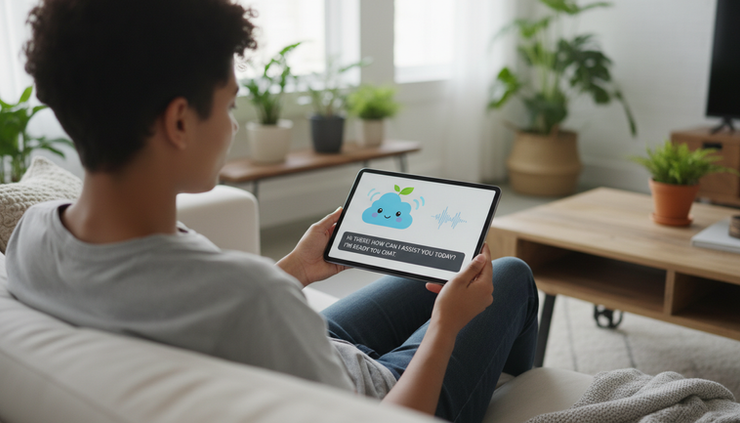
A chat box can answer a question. A voice bot can feel faster. A video voice chatbot can feel closer to a real conversation, especially when it can listen, speak, show visual cues, and guide a person through a task without asking them to read a long help page.
That is the promise behind Talk to MLJ CONSULTANCY LLC, a free AI video voice chatbot built around live, interactive support. For individuals, it can make it easier to ask questions in a natural way. For businesses, it can help handle common service requests, explain services, and keep people engaged when a human team is not immediately available.
The key idea is multimodal artificial intelligence. “Multimodal” simply means the system can work across more than one type of input or output, such as text, voice, video, images, buttons, and on-screen prompts. Instead of forcing everyone into the same text-only chat experience, a multimodal tool lets people interact in the way that fits the moment.

What Talk to MLJ CONSULTANCY LLC is designed to do
Talk to MLJ CONSULTANCY LLC is best understood as a conversational support tool. It gives people a way to ask questions and receive guided answers through a more natural interface than a static web page.
A traditional website often asks visitors to search, scroll, compare pages, and guess which link contains the answer. A chatbot changes that pattern. A video voice chatbot goes further by giving the interaction a more human rhythm.
A practical example looks like this:
A visitor lands on a website and has a question.
The chatbot greets them and offers text, voice, or video-style interaction.
The visitor asks a question in plain language.
The system responds with a clear answer and may suggest the next useful step.
If needed, the conversation can move toward a form, link, resource, or human follow-up.
The strongest use cases are usually the questions that appear again and again:
What services are available?
How do I get started?
What information do I need before requesting help?
Can I ask a question outside normal business hours?
Where can I find a resource or contact option?
What is the difference between two service choices?
A free AI video voice chatbot can answer those routine questions without making people wait for a person to become available. That does not mean it replaces human judgment. It works best as a first layer of help, the kind that gives quick direction, collects basic context, and reduces friction.
This matters because people have become used to instant digital responses. The Federal Trade Commission has warned businesses to be truthful about what artificial intelligence tools can and cannot do. That guidance supports a simple rule: the best chatbot experiences are clear, useful, and honest about their limits.
Why multimodal AI changes the experience
Text chat is useful, but it is not always enough. Some people prefer speaking. Some need visual guidance. Some are multitasking. Some are on a mobile phone and do not want to type a long question.
Multimodal interaction gives the system more ways to help.
Voice reduces effort
Voice can make support feel easier because speaking is often faster than typing. This is especially helpful on a phone, for people with limited typing comfort, or for users who want quick answers while doing something else.
A voice-enabled system can:
Listen to spoken questions
Read answers aloud
Confirm details back to the user
Guide someone through a process step by step
Offer a more natural pace than text alone
Voice is not just a convenience feature. It can also support accessibility. The World Wide Web Consortium, which publishes widely used web accessibility guidance, has long emphasized that digital services should work for people with different abilities and different ways of interacting. Voice can help support that goal when it is paired with captions, readable text, and clear controls.
Video makes the interaction feel present
Video does not need to mean a real person is always on camera. In chatbot design, video may include an animated guide, a visual assistant, a demonstration, or an interface that combines a face-like presence with spoken answers.
A video-style assistant can help by:
Making the interaction feel less cold
Showing when the system is listening or responding
Giving visual cues that improve understanding
Holding attention better than a plain text window
Helping explain steps that are easier to show than describe
This is useful for service explanations, onboarding, product walkthroughs, and troubleshooting. For example, a visitor may ask how to prepare for a consultation. A text-only answer might list documents or steps. A video voice answer can present the same information in a sequence, pausing after each step and asking if the person wants more detail.
Text still matters
Even with voice and video, text remains important. People may be in a quiet place, a noisy room, or a public setting. They may want to copy an answer, check details, or read at their own speed.
The strongest chatbot experiences do not choose one mode for everyone. They let the person switch. A user might start with voice, read a follow-up answer, then click a link. That flexible experience is the value of multimodal design.
Visual context can improve answers
Some AI tools can also respond to images or screenshots. For customer support, this can be useful when a person has trouble describing what they see. A user might upload a screenshot of an error page, a form, or a menu and ask, “What should I do next?”
This feature should be handled with care. People should avoid uploading private information unless the system clearly explains how data is used. For businesses, privacy notices and data handling rules matter. The National Institute of Standards and Technology describes trustworthy artificial intelligence through qualities such as safety, privacy, fairness, and transparency. Those principles are useful for any AI tool that interacts with the public.

Popular free platform types and what they teach us
Many people already use free AI or voice-based tools, even if they do not think of them as chatbots. Since free plans and features change often, the most useful comparison is by platform type rather than by brand name.
The table below shows common free platform categories and the features that make them popular.
Platform type | Common free features | What users gain | What businesses can learn |
General AI chat assistant | Text questions, quick answers, summaries, idea generation | Fast help with everyday questions | Clear prompts and plain language matter |
Voice assistant on a phone | Spoken commands, reminders, search help, hands-free answers | Convenience while moving or multitasking | Voice lowers the effort needed to ask for help |
Free video calling tool | Live video, captions, screen sharing, chat | Human connection and visual explanation | Visual support is valuable for complex tasks |
Website chat widget | Common questions, guided menus, contact routing | Quick direction without searching a site | The best bots answer practical questions first |
Community support forum with AI search | Searchable answers, suggested solutions, related posts | Help from past questions and shared experience | Good knowledge content improves automated answers |
Open-source chatbot framework | Custom chat flows, testing, connection to website content | More control for builders and learners | Simple design often beats complicated menus |
Built-in device speech tool | Dictation, read-aloud features, voice commands | Easier access for people who prefer audio | Accessibility features should be part of the plan |
These platform types reveal a pattern. People like free tools when they solve a clear problem fast. They do not return because a tool sounds impressive. They return because it saves time, gives a useful answer, or helps them complete a task.
Talk to MLJ CONSULTANCY LLC fits into this larger shift. It brings together the familiar strengths of chat, voice, and video in a single interactive experience. That makes it useful for both short questions and guided engagement.
A free live interactive ai video voice chatbot also lowers the barrier to trying artificial intelligence. People can test the experience without needing to install complicated software or learn special commands. Businesses can see which questions people ask most often before investing in a more advanced support setup.
How live AI improves customer service
Customer service often breaks down for simple reasons. A person cannot find the right page. A team is busy. A question arrives after hours. A visitor does not know which service applies to them. None of these problems require a complex solution at first. They require a fast, clear first response.
Live interactive AI helps with that first response.
Faster answers for common questions
Speed is one of the clearest benefits. A chatbot can respond immediately to routine questions when the answer is already available in approved content. It does not need to wait in a queue.
That can improve the experience in practical ways:
Visitors get basic answers right away.
Human teams spend less time repeating the same information.
People can ask questions outside normal hours.
A user who only needs a simple answer may not need to submit a contact form.
This is not the same as solving every issue. Some questions need a person. But even then, the chatbot can collect the topic, urgency, and preferred contact method before a human follows up.
More consistent information
Human support can vary from one conversation to another. A well-configured chatbot can provide consistent answers based on the same approved source material. That is useful for service descriptions, intake steps, appointment preparation, and frequently asked questions.
Consistency also helps reduce confusion. If a visitor asks the same question in different words, a good chatbot should still guide them toward the same reliable answer.
Better personalization without overstepping
Personalization does not have to mean invasive tracking. Often, it simply means the system remembers what the person just said and adapts the next answer.
For example:
A visitor says they are new to a service.
The chatbot explains the basics rather than assuming prior knowledge.
The visitor asks for cost or timing information.
The chatbot explains what factors may affect the answer and points to the correct next step.
That kind of personalization feels helpful because it stays within the conversation. It does not need private details unless the user chooses to provide them for a clear reason.
Smoother handoff to a human
A chatbot should never trap someone in a loop. A strong service experience includes a path to human help when the question is too specific, sensitive, or complex.
A smooth handoff can include:
A short summary of the issue
Basic contact details if the person chooses to share them
The best category for the request
A link to schedule, message, or follow up
A clear statement that a human will need to review the matter
This is where live interactive AI and human support work well together. The bot handles the first layer. A person handles judgment, exceptions, and relationship-building.

How individual consumers can use an AI video voice chatbot
For individual users, the value is simple: ask a question in a natural way and get help without digging through pages of information.
A person might use Talk to MLJ CONSULTANCY LLC to:
Learn what services are available
Ask how to start a request
Get help understanding basic terms
Find the right resource on the website
Ask follow-up questions after reading a page
Save time when comparing options
The video voice format can also make the experience less tiring. Instead of reading a long article, a user can ask, “Can you explain that in simple steps?” or “What should I do first?” A good chatbot should respond in a way that matches the question.
This matters for people who are new to artificial intelligence. Many users do not want to learn prompt writing or special commands. They want to talk naturally. They want the system to understand intent, not just keywords.
A practical consumer example might look like this:
A visitor wants to understand whether a service fits their situation. They open the chatbot and ask a spoken question. The chatbot gives a short answer, then asks if the person wants a quick overview or a more detailed explanation. The visitor chooses the quick overview. The chatbot provides three steps and offers a link for more information.
That is a better experience than forcing the person to read five pages before knowing where to begin.
How businesses can use live interactive AI for engagement
For a business, the chatbot is not just a support tool. It can also improve engagement by helping visitors stay active on a website long enough to find what they need.
A static page relies on the visitor to know what to click. An interactive chatbot can ask clarifying questions and guide the path.
It helps qualify interest
A chatbot can ask simple, respectful questions that help identify what someone needs. For example:
Are you looking for general information or direct help?
Is this your first time using this type of service?
Would you like a short answer or a step-by-step explanation?
Do you want to read the information or hear it spoken aloud?
These questions improve the experience because they reduce guessing. They also help the business understand common visitor needs.
It can reduce missed opportunities
Many website visits happen outside normal business hours. A person may leave if they cannot find help quickly. A live interactive AI tool can answer basic questions at any time and guide the visitor to a next step.
That might be a contact form, a resource page, a booking option, or a direct message path. The bot does not need to pressure the user. It simply keeps the conversation moving.
It provides useful learning over time
Chatbot conversation patterns can show what people are confused about. If many visitors ask the same question, the website may need a clearer page. If people often ask for pricing, timing, or process details, those topics likely deserve stronger public explanations.
Businesses should treat this feedback carefully. Conversation data can be sensitive. The best practice is to review trends, protect personal details, and tell users how their information is handled.
It supports inclusive access
Not everyone interacts with websites the same way. Some people prefer reading. Others prefer listening. Some need larger text, captions, or simple step-by-step support. A multimodal chatbot can support more people when it includes:
Text and voice options
Captions for spoken content
Clear buttons for common choices
Short answers with the option to hear more
Easy exit and human contact choices
Plain language instead of technical wording
Inclusive design is not only a legal or ethical matter. It often improves the experience for everyone.
What makes a good AI chatbot experience
The best chatbot is not the one with the most features. It is the one that helps people finish the task they came to complete.
Several design choices make a clear difference.
Clear scope
A chatbot should explain what it can help with. If it can answer questions about MLJ CONSULTANCY LLC services, website navigation, and general information, it should say so. If it cannot make final decisions, give legal advice, or handle private account matters, it should say that too.
Clear scope builds trust.
Short answers first
Long answers can overwhelm people. A helpful chatbot starts with a short answer, then offers more detail.
For example, instead of giving a long service explanation immediately, it can say:
“Here is the short version. You can ask me for details about services, next steps, or how to contact the team.”
That keeps the user in control.
Easy correction
People change their minds. They ask unclear questions. Speech tools may hear the wrong word. A good chatbot lets the user correct the conversation without starting over.
Useful correction prompts include:
“Did you mean this?”
“Would you like me to explain that another way?”
“Do you want a shorter answer?”
“Would you like to switch to text?”
Human backup
Artificial intelligence is useful, but it should not pretend to be perfect. The National Institute of Standards and Technology guidance on trustworthy artificial intelligence highlights the need for systems that are safe, transparent, and accountable. In customer service, that means people need a way to reach a human when the chatbot is not enough.
A strong chatbot experience includes both automation and a human path.
Privacy by design
Chatbots should avoid asking for personal information unless it is necessary. When personal details are needed, the system should explain why.
For individual consumers, the safe habit is simple: do not share highly sensitive information in any chat unless the site clearly explains how it protects and uses that information. For businesses, the safe habit is to collect only what is needed and keep the language clear.
Where Talk to MLJ CONSULTANCY LLC can stand out
Many free chat tools can answer basic questions. The stronger opportunity for Talk to MLJ CONSULTANCY LLC is the combination of accessibility, immediacy, and a more personal feel.
A video voice chatbot can stand out when it does the following well:
Greets users clearly without being intrusive
Lets people choose voice, text, or visual guidance
Answers common questions in plain language
Offers step-by-step help rather than dumping information
Knows when to suggest a human follow-up
Avoids collecting unnecessary personal details
Makes the next step easy to understand
For individual users, that means less searching and less confusion. For businesses, it means more consistent first-contact support and better engagement outside normal response windows.
The nationwide nature of the tool also matters. A web-based chatbot can serve users across the United States without requiring a local visit. That broad access is useful for people comparing services, asking early questions, or exploring support options from different time zones.
A practical comparison of static support and live AI support
Static support still has value. A well-written help page, service page, or frequently asked questions page gives people a stable source of information. The problem is that users do not always know where to look.
Live AI support adds a conversational layer on top of static content.
Static website support | Live interactive AI support |
The user searches and reads. | The user asks and receives guidance. |
Answers are fixed on pages. | Answers can adapt to the question. |
Navigation depends on menus and links. | The chatbot can suggest the next step. |
Visitors may leave if they cannot find an answer. | Visitors can ask follow-up questions immediately. |
Works well for detailed reference information. | Works well for quick direction and guided help. |
The best setup uses both. Static pages provide the source of truth. The chatbot helps people reach that information faster.
How to get the most from a video voice chatbot
A good experience also depends on how people use the tool. These simple habits can make the conversation more useful.
For individuals:
Ask one question at a time.
Use plain language.
Say whether you want a short answer or detailed help.
Switch to text if the room is noisy.
Avoid sharing private details unless clearly needed.
Ask for a human follow-up when the issue is complex.
For businesses:
Feed the chatbot clear public information.
Review common questions often.
Keep answers short and current.
Test the experience on a phone, tablet, and computer.
Include captions and text options.
Make human contact easy to find.
A chatbot is only as useful as the experience around it. Clear content, simple choices, and honest limits matter more than flashy behavior.
FAQ
What is a free AI video voice chatbot?
It is a chat tool that can respond through more than text. It may use spoken answers, voice input, video-style guidance, captions, and clickable prompts to create a more natural support experience.
Can Talk to MLJ CONSULTANCY LLC replace human customer service?
It can help with common questions and early guidance, but it should not replace human help for complex, sensitive, or highly specific issues. The best use is as a fast first layer of support.
Why is multimodal AI useful?
Multimodal AI lets people interact in different ways. A person can type, speak, listen, watch a visual guide, or use buttons. This makes support easier for more users and more situations.
Are free AI platforms reliable?
Many free platforms are useful for general tasks, but features and limits can change. Users should check important information, avoid sharing sensitive details unless necessary, and use human support for decisions that require judgment.
How can a business benefit from live interactive AI?
A business can answer routine questions faster, support visitors after hours, guide people to the right next step, and learn which topics cause confusion. This can improve service quality when the chatbot is clear and well maintained.
The takeaway
Talk to MLJ CONSULTANCY LLC points to where customer interaction is heading: faster answers, more natural conversations, and support that works across voice, video, and text. The real benefit is not novelty. The benefit is making help easier to reach.
For individuals, that means asking questions without hunting through pages. For businesses, it means giving visitors a useful first response at the moment they need it.
The strongest AI chat experiences are clear, respectful, accessible, and honest about what they can do. When those pieces come together, live interactive AI becomes more than a chat box. It becomes a practical front door for better communication.
To try the experience, visit Talk to MLJ CONSULTANCY LLC.


Comments