

Talk to MLJ CONSULTANCY LLC AI: Voice and Video Chatbot Benefits for Support, Assistance, and Learning

A chatbot that only answers in text can solve simple problems. A chatbot that can listen, speak, and appear on video can feel closer to a real conversation.
That difference matters. People often contact a business when they are confused, busy, frustrated, or trying to learn something new. They may not want to type a long question. They may not know the right term to search. They may need a walkthrough, not a paragraph.
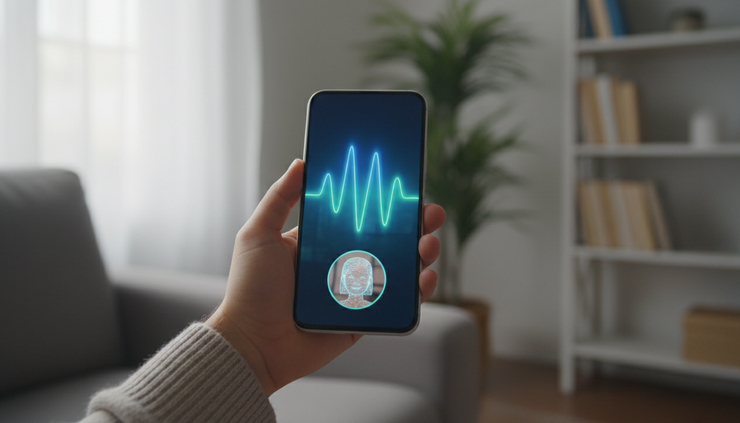
That is where the “Talk to MLJ CONSULTANCY LLC | AI” video voice chatbot becomes useful. It gives users a more natural way to interact with an AI assistant through voice and video, while still keeping the speed and consistency that make automation valuable.
Voice interaction helps users ask questions the way they would speak to a person. Video adds a visual layer that can guide, reassure, and explain. Together, these features can improve customer support, personal assistance, and education without requiring every interaction to start with a phone call or live staff member.

What makes a video voice chatbot different from a text chatbot
Most people already understand basic chatbots. A box opens, the user types a question, and the chatbot replies. That format works well for short requests, such as store hours, order status, or simple account questions.
A video voice chatbot expands the interaction in three important ways.
It accepts spoken questions
Voice input lowers friction. A user can ask, “How do I reset my account access?” or “Can you explain this plan in simpler terms?” without typing every detail.
This is helpful on mobile devices, for people multitasking, and for users who find typing difficult. It also makes longer questions easier. Instead of reducing a problem to a few keywords, the user can explain it in a natural sentence.
Speech recognition is not perfect, and accents, background noise, or technical terms can create errors. A good system should confirm key details when needed. For example, if the user says an account number or date, the AI can repeat it back before taking action.
It responds with voice
A spoken response can feel faster to process than a dense block of text. This is especially true when the chatbot explains steps.
For example, instead of showing:
“Go to settings, choose profile, select security, then reset password.”
The chatbot can say:
“Open settings first. Now choose profile. Next, select security. When you see password reset, tap that option.”
That pacing matters. Spoken guidance can reduce the mental load of switching between reading instructions and performing the task.
It uses video to add context
Video gives the chatbot presence. It can make an interaction feel less mechanical, especially when the subject is stressful or unfamiliar.
Video can also support learning. A visual assistant can point users toward steps, reinforce key ideas, or make explanations feel more structured. The video does not need to imitate a human perfectly. In many cases, a clear, calm digital guide is enough.
This is the core value of an ai video voice live interactive bot. It combines real-time conversation with a visual interface that can guide users in a more personal way than text alone.
How voice and video improve user interaction
The benefit is not just that the chatbot looks more advanced. The real value comes from how people communicate.
Human conversation includes tone, pacing, pauses, and feedback. Text removes most of that. Voice brings some of it back. Video adds another layer of connection.
It reduces effort for the user
Typing is easy for short messages, but less useful for complex requests. Voice lets users explain the issue in their own words.
Consider a customer trying to understand why a service charge changed. A text chatbot may require the user to choose from menus. A voice chatbot can ask follow-up questions:
“Are you asking about this month’s invoice?”
“Do you want me to explain the new charge?”
“Would you like a summary sent to your email?”
The user does not have to guess which menu path is correct. The chatbot guides the conversation.
It supports different learning styles
Some people absorb information by reading. Others understand better by hearing an explanation. Many need both.
Education research has long recognized that multimodal instruction can help learners process information when it is designed clearly. The key is not adding more media for its own sake. The key is using voice, text, and visuals to support the same message.
For example, a chatbot teaching a software process can speak the directions, show short on-screen prompts, and pause after each step. That combination helps users keep up.
It creates more consistent service
Human support quality can vary based on workload, training, time of day, and the complexity of the issue. AI chatbots can give consistent answers to common questions.
That does not remove the need for people. It helps reserve human attention for complex, sensitive, or unusual cases. The best setup gives the chatbot clear limits and a handoff path when a user needs a person.
It can be available outside normal hours
Many requests do not happen during business hours. A customer may need help at 9:30 p.m. A student may study late. A contractor may need quick appointment details early in the morning.
A video voice chatbot can answer common questions at any time, collect details, and prepare the next step. For nationwide services, that availability matters even more because users may be spread across time zones.
Practical application one is customer support
Customer support is one of the clearest uses for a video voice chatbot. Many support questions repeat. People ask about pricing, scheduling, account access, product setup, refunds, policies, and troubleshooting.
A chatbot can handle the first layer of these requests. When it works well, users get help faster and teams spend less time answering the same questions.
Example of a service appointment request
A home service company could use a video voice chatbot to help customers book or change appointments.
A customer might say:
“I need to reschedule my consultation for next week.”
The AI can respond by asking for the appointment date, preferred time window, and contact details. It can explain what happens next and send a confirmation. If the customer asks a policy question, the chatbot can answer from approved information.
This reduces waiting. It also reduces mistakes because the chatbot can confirm details before submitting the request.
Example of a billing explanation
Billing questions often cause frustration because users may not understand the terms on an invoice. A voice and video chatbot can explain the bill in plain language.
For instance, a customer asks:
“Why is this amount higher than last month?”
The chatbot can walk through known categories, such as plan changes, added services, taxes, or usage-based fees. If account-specific access is available and privacy rules are followed, it can guide the user to the right section. If not, it can collect the question and route it to the right team.
The important part is tone. A calm spoken explanation can feel more helpful than a long text answer.
What businesses should measure
A support chatbot should not be judged only by whether it sounds impressive. It should be measured by outcomes.
Useful measures include:
Percentage of questions resolved without handoff
Average time to first helpful response
Number of repeat questions from the same user
User satisfaction after chatbot interactions
Handoff rate to a human support member
Accuracy of responses based on approved knowledge
These measures keep the focus on service quality, not novelty.
Practical application two is personal assistance
A video voice chatbot can also work as a personal assistant for everyday tasks. This does not mean replacing human judgment. It means helping users organize information, remember tasks, and make routine decisions easier.
Example of a daily planning assistant
A user could ask:
“What do I need to prepare before my consultation?”
The chatbot can answer with a short checklist, explain each item, and offer to repeat the list. If connected to scheduling or intake forms, it can guide the user through the preparation process.
For example:
Gather basic contact information
Review the service options
Write down the main questions
Prepare any documents needed for the consultation
Voice makes this easier because the user can ask follow-up questions without leaving the task.
Example of guided decision support
A user comparing service options may not want to read every page at once. The chatbot can ask a few questions and explain the differences in plain terms.
For example:
“What matters most right now, cost, speed, features, or ongoing support?”
Based on the answer, the AI can suggest where to look next. It should not pressure the user. It should help them understand the choice.
That distinction matters. Good AI assistance is not about pushing people toward a decision. It helps them make a better-informed decision.
Practical application three is education and training
Educational tools benefit from interaction. A static lesson can explain a concept once. A video voice chatbot can adjust the explanation based on the learner’s question.
This applies to schools, training programs, customer onboarding, employee learning, and public information.
Example of a tutoring-style explanation
A learner asks:
“Can you explain this again with an example?”
The chatbot can restate the idea in simpler words. Then it can offer a scenario, ask a check-for-understanding question, and adjust if the learner is still confused.
For example, if teaching basic budgeting, the chatbot might explain fixed expenses, then ask the learner to identify one from a short list. If the learner answers incorrectly, the chatbot can explain why and try again.
This type of feedback loop is valuable because learning often depends on correction and repetition.
Example of customer onboarding
A business that offers a digital service can use a video voice chatbot to guide new users through setup.
Instead of sending a long onboarding document, the chatbot can walk users through one task at a time:
Create the account.
Confirm the email address.
Choose the right plan or service path.
Complete the first setup step.
Ask for help if something is unclear.
The user gets an interactive guide, not just a list of instructions.
Accessibility should be built in
Voice and video can improve access, but only when designed carefully. The Web Content Accessibility Guidelines, often known as WCAG, emphasize alternatives such as captions, transcripts, keyboard access, and clear structure.
A strong chatbot experience should include:
Captions for spoken responses
Text transcripts of key information
Options to type instead of speak
Clear contrast and readable text
Controls to pause, repeat, or slow down responses
Privacy notices written in plain language
These features help more people use the system comfortably.
What to look for before integrating an AI chatbot
Before adding a video voice chatbot to operations, it helps to define the job clearly. AI performs best when the task, knowledge sources, and limits are well planned.
Start with the best use cases
Good first use cases are common, repeatable, and low risk.
Examples include:
Answering business hours and service questions
Explaining plan differences
Booking consultations
Collecting intake information
Guiding users through setup
Providing training reminders
Answering frequently asked questions
Avoid starting with high-risk decisions, sensitive disputes, or complex cases that require human review.
Prepare the knowledge base
A chatbot can only be as reliable as the information it receives. The best results come from approved, current information.
That may include:
Service descriptions
Pricing rules
Scheduling policies
Support scripts
Training materials
Troubleshooting guides
Privacy and consent language
Review these materials before launch. Remove old wording, unclear policies, and conflicting answers.
Plan the human handoff
A chatbot should know when to stop. If the user is upset, asks for something outside the approved scope, or needs account-specific help the bot cannot verify, it should route the issue to a person.
A good handoff includes the conversation summary so the user does not need to repeat everything.
Test with real questions
Internal testing often misses the way people actually ask questions. Users use slang, incomplete sentences, background details, and unexpected wording.
Test with real examples, such as:
“I forgot what I signed up for.”
“Can someone explain the difference?”
“I need help but I do not know where to start.”
“Can I change my appointment?”
“What happens after I pay?”
These questions show whether the chatbot can handle real conversation, not just scripted prompts.

A practical way to evaluate value
The best reason to use a video voice chatbot is not because AI is popular. The best reason is that it solves a real communication problem.
A useful evaluation can be simple.
Question | What a good answer looks like |
What user problem will the chatbot solve? | A clear, repeated need such as support, scheduling, onboarding, or training |
What information will it use? | Approved content that is accurate and easy to update |
What should it not do? | Clear boundaries around sensitive, complex, or private issues |
How will users reach a person? | A simple handoff path with context included |
How will success be measured? | Response quality, resolution rate, user satisfaction, and reduced repeat work |
If you are comparing options, look for a clear test path, such as ai video voice live interactive bot, Free Trial, Free Consultations, Free planning support, or another low-risk way to see how the system responds to real questions before making it part of daily operations.
To review plan options and evaluate whether the chatbot fits your use case, visit the MLJ Consultancy pricing and trial information.
FAQ
What is the “Talk to MLJ CONSULTANCY LLC | AI” video voice chatbot?
It is an AI chatbot experience designed to let users interact through voice and video, not just typed messages. It can answer questions, guide users through steps, and support common service or learning tasks.
How is a video voice chatbot better than a regular chatbot?
A regular chatbot works well for short text answers. A video voice chatbot can make the interaction feel more natural by letting users speak, hear responses, and follow visual guidance.
Can this type of chatbot replace customer support staff?
It should not replace every support role. It works best for common questions, intake, scheduling, explanations, and guidance. Human support is still important for complex, sensitive, or unusual situations.
Is voice interaction accessible for everyone?
Not by itself. A strong system should also offer captions, transcripts, and a text input option. Users should be able to choose the format that works best for them.
What is a good first use case?
Customer support FAQs, consultation booking, onboarding, and guided learning are strong starting points because they involve repeated questions and clear information.

The takeaway
Voice and video can make AI chatbots more useful because they match the way people communicate. Users can ask questions naturally, hear clear answers, and follow visual guidance without waiting for every routine issue to reach a human team member.
The strongest use cases are practical: customer support, personal assistance, onboarding, and education. Start with a clear problem, use accurate content, test with real questions, and keep a simple path to human help.
Handled that way, a video voice chatbot becomes more than a digital assistant. It becomes a reliable first point of contact that helps people get answers, take the next step, and feel less stuck.


Comments