

Healthcare Incident Response Plan First 24 Hours Assess Notify and Secure Patient Data

A healthcare incident does not wait for a convenient shift change. A lost tablet, suspicious login, ransomware note, network outage, or misdirected record can become a patient safety issue within minutes. The first 24 hours matter because early decisions shape everything that follows, including care continuity, patient trust, legal review, and recovery time.
Healthcare response is different from response in many other fields. Patient care cannot simply stop while the issue is investigated. Clinicians still need medication histories, allergy lists, lab results, imaging, orders, and contact information. At the same time, protected health information must be kept safe under federal privacy and security expectations, including requirements from the U.S. Department of Health and Human Services for covered entities and their partners.
A practical plan does not need to be complicated. It needs to tell people what to do first, who to call, how to protect patients, and how to preserve information for the investigation. This guide focuses on the first 24 hours of an incident, with clear steps for assessing the situation, notifying key personnel, and securing patient data.

The first 24 hours set the direction for the entire response
In healthcare, an incident can be a privacy event, a security event, a technology failure, or a mix of all three. Examples include:
A staff member clicks a suspicious email and enters a password.
A laptop with patient information goes missing.
A billing file is sent to the wrong recipient.
An outside user logs in to an account from an unusual location.
A clinical system becomes unavailable during patient care.
A paper chart is found in a public area.
A ransomware message appears on a workstation.
Not every incident becomes a reportable breach. Not every outage involves an attacker. The first 24 hours are about learning enough to make safe decisions without jumping to conclusions.
A strong Incident Response Plan for healthcare settings should support four goals during this first day:
Protect patients and keep essential care moving.
Stop further exposure of patient data.
Preserve evidence so the cause can be understood.
Coordinate decisions across clinical, privacy, security, legal, and operations teams.
The National Institute of Standards and Technology, a U.S. government agency that publishes widely used security guidance, describes incident response as a life cycle that includes preparation, detection, analysis, containment, recovery, and follow-up learning. Healthcare organizations can use that model, but they must apply it in a clinical setting where downtime plans, medication safety, and communication between departments are just as important as computer system repair.
Start with a clear definition of the incident
The first decision is simple but important. Is this an incident, a routine support issue, or a false alarm?
A clear definition prevents two common mistakes. One mistake is overreacting and disrupting care before there is enough information. The other is underreacting and allowing patient data to remain exposed.
A practical healthcare definition might be:
An incident is any event that could affect patient safety, patient privacy, system availability, or the confidentiality, integrity, or availability of patient information.
In plain language, that means the plan should activate when one of the following could be true:
Patient information may have been seen, changed, copied, lost, or shared without permission.
A system needed for care may be unavailable, unreliable, or unsafe to use.
A device, account, paper record, or message may have exposed patient information.
A staff member reports suspicious activity that could affect patient care or privacy.
The first person who notices the problem should not have to prove the full scope. They only need to report what they saw, when they saw it, and what they already did. The response team can then decide the severity level.
Use severity levels that match healthcare operations
Severity levels help teams move quickly without debating every detail. Use simple language that every department can understand.
Severity level | What it may look like | First response |
Low | A single misdirected fax or email is reported quickly and appears limited | Record the facts, retrieve or delete if possible, notify privacy staff |
Moderate | A lost device, suspicious login, or limited system outage affects one area | Secure the account or device, notify response leads, check patient care impact |
High | A major system is unavailable, many records may be involved, or active misuse is suspected | Activate the response team, use downtime procedures, preserve evidence |
Critical | Patient safety is at risk, systems are spreading harm, or broad data exposure is likely | Start command coordination, isolate affected systems, involve senior leaders |
Severity can change. A suspected single-account issue may become a larger event if logs show multiple account entries. A major outage may become less severe if no patient data was exposed and downtime procedures work well.
Assess the situation before taking broad action
Assessment is the first operational step. The goal is to understand what happened, what is affected, and what risks need immediate control.
During the first hour, the response lead should gather enough information to answer these questions:
What happened?
Who discovered it?
When was it discovered?
When may it have started?
What systems, records, devices, or locations are involved?
What patient care services are affected?
What patient data may be involved?
Is the event still happening?
What actions have already been taken?
Who has been notified so far?
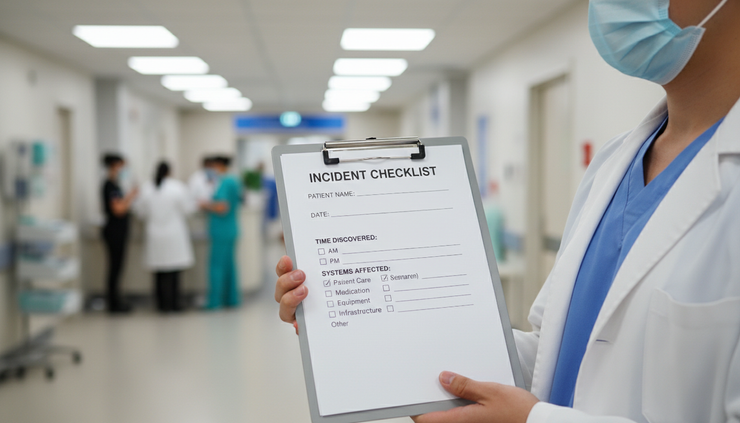
These questions should appear on a one-page intake form or checklist. The form can be electronic, but a printed version should also exist in case computer systems are unavailable.
Protect first reports from blame
Incident reports often come from people who are worried they made a mistake. A nurse may have clicked a suspicious link. A registration team member may have sent paperwork to the wrong address. A physician may have lost a mobile device between clinic sites.
If reporting feels punitive, people may delay. Delay makes the response harder.
The message should be clear: report quickly, even if details are incomplete. The purpose of the first report is safety and containment, not blame.
Determine whether care delivery is affected
Healthcare assessment must begin with patient care. Even if the event seems like a privacy issue, ask whether it affects clinical work.
Examples:
If the medication system is down, staff need a safe process for orders and administration.
If lab results are delayed, clinicians need a way to prioritize critical tests.
If scheduling is unavailable, urgent appointments and procedures may need manual tracking.
If patient identity data is unreliable, registration and wristband checks become critical.
If a device is missing, staff need to know whether it was used for care documentation.
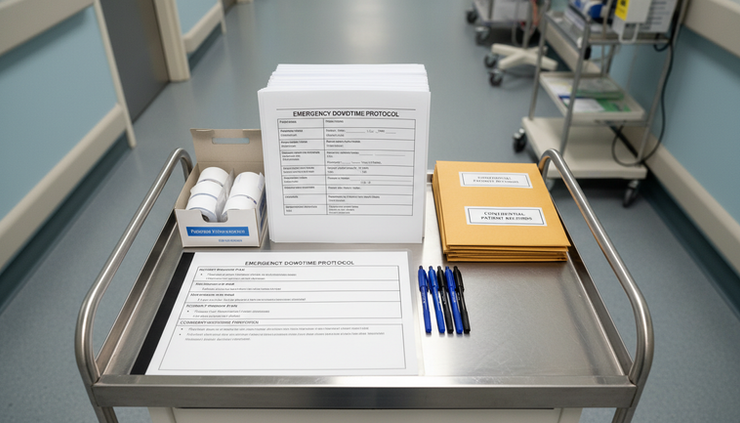
A response plan should include department-specific downtime procedures. These procedures explain how to keep essential care moving when systems are unavailable. They should be printed, current, and tested during drills.
Identify the data at risk
The assessment should also identify what kind of patient information may be involved. Protected health information can include names, dates of birth, addresses, medical record numbers, diagnoses, test results, billing details, insurance information, appointment history, and other information tied to a patient.
The response team should avoid guessing. Use careful wording such as:
“Patient information may have been involved.”
“The affected files are still being reviewed.”
“At this time, there is no evidence that information was viewed by an unauthorized person.”
“The scope is under investigation.”
That language helps avoid false reassurance and false alarm.
Notify key personnel without creating confusion
After the first facts are gathered, notification should happen quickly and in the right order. The plan should name roles, not only people, because people may be off duty.
A good notification process answers three questions:
Who needs to know right away?
Who has authority to make decisions?
Who should not be contacted until facts are confirmed?
The first notification group should be small and useful
The first group should include the people needed to assess risk, protect patients, secure data, and make early decisions. In many healthcare settings, that means:
The incident response lead
The information technology lead
The privacy officer or privacy lead
The security lead for electronic systems
The clinical operations leader for the affected area
The compliance or legal contact
The communications lead, if patient or public messaging may be needed
Senior leadership, if the severity is high or critical
For a smaller practice, one person may hold more than one role. The plan should still describe the responsibilities.
Use a contact tree with backups
The response should not depend on one person answering a phone. Build a contact tree with primary and backup contacts for each role. Include after-hours numbers, secure messaging options, and instructions for weekends and holidays.
The contact tree should be reviewed often. Staff turnover, role changes, and phone number changes can make a plan fail at the exact moment it is needed.
A useful contact tree includes:
Role
Primary contact
Backup contact
Best after-hours method
Decision authority
Escalation path if no one responds
Keep notification messages short and factual
Early messages should not include speculation. They should state what is known, what is needed, and what happens next.
Example notification:
“A registration workstation in the urgent care area displayed a suspicious message at 8:20 a.m. Staff stopped using the device and called the help line. No other devices are known to be affected at this time. Please join the incident call at 8:45 a.m. The first goal is to confirm scope and protect patient care.”
This message works because it includes time, location, current action, known scope, and next step.
Know when outside notification may be needed
Some incidents may require notification to insurers, outside technology partners, law enforcement, or regulators. The timing depends on the facts and the organization’s legal duties.
Under the federal Health Insurance Portability and Accountability Act, often called HIPAA, covered healthcare organizations and their business partners must protect electronic patient information and follow breach notification requirements when protected health information is compromised. The U.S. Department of Health and Human Services states that breach notification must occur without unreasonable delay and no later than 60 days after discovery for affected individuals when notification is required.
The first 24 hours are usually too early to complete legal conclusions, but not too early to preserve facts. Legal and privacy staff should guide these decisions. This article is informational and is not legal advice.
Secure patient data before the incident spreads
Securing patient data means stopping further exposure while preserving enough evidence to understand what happened. The response team should avoid actions that destroy logs, overwrite files, or erase important details before they are captured.
The right action depends on the incident type.
If an account may be compromised
If a staff account may have been used without permission, the response team should:
Disable or reset the account according to policy.
Review recent login times and locations.
Check whether records were viewed, changed, downloaded, or shared.
Confirm whether the same password was used elsewhere.
Require a new password and stronger sign-in protection if available.
Monitor related accounts for unusual activity.
Staff should not keep using a suspected account while the team investigates. If the staff member needs access for patient care, provide a safe alternative.
If a device is lost or stolen
If a phone, tablet, laptop, storage drive, or clinical device is missing, act quickly.
The response team should determine:
Who last had the device?
When and where was it last seen?
What patient information could be stored on it?
Was the device protected by a password?
Was the data encrypted, meaning converted into a protected form that cannot be read without the right key?
Can the device be remotely locked or wiped?
Was the loss reported to security or local authorities when appropriate?
If the device is later found, do not simply put it back into use. Have qualified staff inspect it first.
If a system is unavailable
If a clinical or administrative system goes down, care continuity becomes a top priority. The team should:
Activate downtime procedures for affected departments.
Communicate which system is unavailable and which process replaces it.
Track patient care actions on approved paper forms or alternate systems.
Assign runners or phone contacts if electronic messaging is unavailable.
Reconcile paper documentation back into the record after recovery.
Watch for medication, lab, and handoff errors during the transition.
Downtime is a patient safety risk because normal checks may not work as expected. The plan should include extra verification steps for medication orders, allergies, patient identity, blood products, and critical results.
If paper records are exposed
Paper incidents still matter. A printed schedule left in a waiting area, a chart sent with the wrong patient, or discharge paperwork handed to the wrong person can expose private information.
First steps include:
Retrieve the paperwork if possible.
Identify who may have seen it.
Record the exact information involved.
Notify the privacy lead.
Remind staff of secure disposal and handoff procedures.
Review workspace habits, printers, fax machines, and transport practices.
Paper incidents are often preventable with simple controls, such as secure print release, covered transport folders, locked shred bins, and end-of-shift checks.

Coordinate healthcare teams with one shared operating picture
Confusion can cause more damage than the original event. In the first 24 hours, different teams may see different pieces of the problem. Clinical staff may see care delays. Technology staff may see failed logins. Privacy staff may see data risk. Leaders may see operational strain.
Coordination turns those separate views into one shared operating picture.
Assign one response lead
Every incident needs one response lead for coordination. This person does not need to make every technical, clinical, or legal decision. The role is to keep the response organized.
The response lead should:
Open an incident log.
Confirm the severity level.
Schedule brief status updates.
Assign tasks with owners and due times.
Track decisions and approvals.
Escalate barriers.
Make sure clinical impact is reviewed at every update.
In a larger healthcare organization, this may happen through an emergency management or command structure. In a smaller practice, it may be the practice administrator, privacy lead, or senior clinician with support from technology staff.
Use brief, scheduled updates
Status updates should be short and structured. Long calls waste time and increase confusion.
A useful update format includes:
Current patient care impact
Systems, devices, or records affected
Actions completed
Open risks
Decisions needed
Next update time
For a high-severity incident, updates may happen every 30 to 60 minutes during the first several hours. For a lower-severity event, updates may be less frequent. The response lead should choose a rhythm that matches the risk.
Keep one incident log
The incident log is the official record of what happened and what the organization did. It should include:
Date and time of discovery
Person or department reporting
Description of the event
Systems, devices, locations, or records involved
Patient care impact
Data potentially involved
People notified
Actions taken
Decisions made
Evidence preserved
Communication sent
Follow-up items
Use clear, factual language. Avoid blame, assumptions, or emotional wording. A good log supports later review, legal analysis, insurance claims, training, and process improvement.
Make communication safe and consistent
Internal communication should tell staff what they need to know to care for patients and protect information. It should avoid details that could spread rumors or expose sensitive facts.
Good internal communication answers:
What is happening?
What should staff do differently right now?
What should staff avoid doing?
Who should receive new reports?
When will the next update come?
Example internal message:
“The outpatient scheduling system is currently unavailable. Staff should use the approved downtime scheduling form and call the central scheduling line for urgent appointments. Do not enter duplicate appointments in other systems. Report patient safety concerns to the charge nurse and the incident response lead.”
Patient or public communication should be coordinated through privacy, legal, and communications staff. It should be accurate, timely, and consistent with legal duties.
Follow a first 24 hours timeline
A timeline helps teams act in order. The exact timing may change, but the sequence below works for many healthcare incidents.
The first 15 minutes should focus on safety and reporting
The person who discovers the incident should:
Stop the action that may cause further harm, if safe.
Keep the device, record, or message available for review.
Report the issue through the approved channel.
Record the time and what was observed.
Avoid deleting messages, restarting devices, or changing records unless instructed.
Example: If a workstation shows a suspicious message, staff should stop using it, leave it powered on if policy allows, disconnect it from the network only if instructed by trained staff, and report it right away.
The first hour should confirm scope and activate the team
The response lead should:
Open the incident log.
Assign a severity level.
Notify the first response group.
Confirm patient care impact.
Preserve key evidence.
Begin containment steps.
Set the next update time.
This hour should produce a working statement of the event. It may be incomplete, but it should be clear enough to guide action.
Hours 1 through 4 should contain the risk
During this period, the team should:
Disable affected accounts when needed.
Remove or isolate affected devices according to policy.
Activate downtime procedures if systems are down.
Secure paper records or files.
Limit access to affected folders or systems.
Identify whether outside support is needed.
Confirm whether other locations or departments are affected.
Start a list of potentially involved patients or records, if applicable.
Clinical leaders should confirm that critical care tasks still have safe workarounds.
Hours 4 through 12 should deepen the investigation
Once immediate containment is underway, the team should look for evidence of spread or exposure.
The investigation may include:
Reviewing account access.
Checking device activity.
Confirming whether data was opened, copied, changed, or sent.
Interviewing staff involved in the first report.
Reviewing paper routing, fax logs, or email history.
Checking whether similar reports came from other departments.
The privacy and legal team should begin reviewing whether patient notification, partner notification, or regulator notification may be required. This review should use facts, not assumptions.
Hours 12 through 24 should stabilize and plan the next phase
By the end of the first day, the response team should have:
A current severity level
A known or estimated scope
A list of affected systems, devices, records, or departments
Care continuity measures in place
Patient data secured from further exposure
Key evidence preserved
Required leaders notified
A communication plan
Owners for next steps
A plan for recovery or continued downtime
A schedule for follow-up review
The incident may not be resolved in 24 hours. The goal is to move from uncertainty to controlled response.
Prepare before the incident happens
Preparedness determines whether the first 24 hours feel controlled or chaotic. An Incident Response Plan should be practical enough to use during a stressful shift, not a long document that sits unread.
Build simple response tools
Useful tools include:
A one-page first report form
A contact tree with backups
Severity level guidance
Downtime procedures by department
Approved communication templates
A patient data exposure checklist
A lost device checklist
A misdirected email or fax checklist
A paper record exposure checklist
A recovery and documentation checklist
Each tool should be short, clear, and tested by the people who will use it.
Train with realistic scenarios
Training works best when it uses real workplace situations. Examples include:
A nurse reports that medication history is unavailable during morning rounds.
A front desk worker sends a patient list to the wrong recipient.
A physician loses a tablet after clinic.
A billing file appears in the wrong shared folder.
A staff member notices a login alert they do not recognize.
A lab result system outage delays critical results.
After each exercise, ask:
Was the incident reported quickly?
Did staff know who to call?
Was patient care protected?
Was patient data secured?
Did communication stay clear?
Were decisions documented?
What slowed the response?
Training should include clinical, administrative, privacy, and technology staff. Incidents cross department lines, so practice should do the same.
Keep supplies ready for downtime
Downtime supplies should be easy to find and current. Common supplies include:
Printed downtime forms
Pens, labels, and patient identification materials
Current phone lists
Department procedures
Secure storage envelopes
Tracking logs
Fax or phone instructions, where still used
Secure disposal containers
The response plan should name who checks these supplies and how often.
Review the plan after every incident
Every incident, even a small one, can teach something. A short review should happen after the response stabilizes.
The review should ask:
What went well?
What did staff find confusing?
Were notifications timely?
Did the contact tree work?
Were patients protected?
Was data secured quickly?
Were records complete?
What policy, training, or tool needs to change?
The goal is improvement, not blame. The strongest healthcare incident programs learn from near misses before a major event occurs.
Frequently asked questions
What is the most important action in the first 24 hours?
The most important action is to protect patients while stopping further exposure of patient data. That usually means activating the right leaders, securing affected accounts or records, using downtime procedures if care systems are unavailable, and documenting decisions.
Who should lead a healthcare incident response?
The response lead should be the person assigned in the plan to coordinate the event. That may be a privacy leader, technology leader, operations leader, or emergency management leader. The key is that the role has authority to coordinate teams and escalate decisions.
Does every privacy incident require patient notification?
No. Some incidents are limited, contained, or do not meet legal notification requirements. Privacy and legal staff should review the facts. Under federal rules, notification duties depend on the type of information, what happened, who received it, and whether risk was reduced.
How often should a healthcare incident response plan be tested?
A plan should be tested at least regularly enough that staff know what to do under pressure. Many organizations use scheduled drills, tabletop exercises, and small scenario reviews throughout the year. Testing should include after-hours situations because incidents do not only happen during normal business hours.
What should staff avoid doing when they discover an incident?
Staff should avoid deleting messages, restarting suspicious devices, changing records without direction, discussing the event broadly, or waiting to report until they know every detail. Quick reporting and evidence preservation help the response team act safely.
The first day should turn uncertainty into control
The first 24 hours of a healthcare incident require calm action, clear roles, and disciplined communication. Start by assessing what happened and whether care is affected. Notify the right people without spreading speculation. Secure patient data before the incident grows. Keep one incident log, communicate in plain language, and review every decision through the lens of patient safety.
Preparedness makes the difference. A plan that has been tested, printed, practiced, and understood will serve staff better than a long policy nobody can find during a crisis.
For help building a practical healthcare response plan, review the available support options here: Explore incident response planning support.


Comments