

AI for Legacy Systems How to Refactor COBOL and Modernize Faster
- MLJ CONSULTANCY LLC

- 15 hours ago
- 13 min read
AI solutions for legacy systems | Old systems do not fail only because the code is old. They fail because nobody can see the whole system anymore.
A core banking platform, state benefits system, insurance rating engine, or hospital billing application may run millions of lines of code written over decades. Some of it may be in COBOL, short for Common Business-Oriented Language, a language created in 1959 and still common in finance, government, and insurance. The real risk is not just age. It is the loss of context.
Why does one batch job run every night at 2:00 a.m.? Which rule decides whether a claim is approved? Which file feeds the monthly report regulators expect? These answers often live inside code, database fields, job schedules, and the memory of a few longtime employees.
That is why exploring AI solutions for legacy systems has become more practical. AI can read large codebases, find patterns, suggest refactoring, translate older languages, support data migration, and help uncover hidden business logic. It does not remove the need for experienced engineers. It gives them a better map.

Why legacy modernization is so hard
Legacy systems are usually described as “old,” but age alone is not the full issue. Many older systems are stable, fast, and well suited to the work they do. The problem comes when the system becomes difficult to change safely.
The U.S. Government Accountability Office has repeatedly reported that aging federal information systems can carry high maintenance costs and create security and mission risks. This is not limited to government. Any organization that depends on older software can face similar pressure.
Common problems include:
Code written in languages fewer engineers know well
Business rules buried across many files and procedures
Data stored in formats that newer tools do not handle easily
Missing or outdated documentation
Tight connections between systems that make small changes risky
Test cases that cover only a fraction of real-world behavior
Modernization projects often slow down because teams must understand the system before they can change it. That discovery phase can take months. AI can shorten parts of that work by scanning code, grouping similar patterns, creating summaries, and pointing engineers to areas that need attention.
Still, AI is not a magic rewrite button. The best results come when it is paired with audits, data rules, careful testing, and phased releases.
AI can map code before anyone rewrites it
The first useful role for AI is not translation. It is understanding.
Automated code analysis tools examine source code, configuration files, data flows, and dependencies. A dependency is a connection between one part of the system and another. If one program depends on a shared file or database table, changing that file can affect many other processes.
Tools in this category, including Booz Allen PBLE, are designed to help teams examine large legacy estates and identify patterns that would be hard to find manually. They can support tasks such as:
Finding duplicate or near-duplicate code
Identifying dead code that appears unused
Tracing where data enters, changes, and exits a system
Grouping related programs into business functions
Flagging code that may be risky to change
Producing summaries that engineers can review
The value is speed and coverage. A human reviewer may inspect a handful of programs in detail. An automated tool can scan thousands of files and create a first-pass map.
That map is not final truth. Legacy systems often include unusual exceptions and undocumented workarounds. AI output still needs review by engineers and business experts. The difference is that the review starts with evidence instead of guesswork.
AI can refactor legacy code without changing what it does
Refactoring means improving the structure of code while keeping the same behavior. It is like rewiring a house room by room without changing how the lights work.
For COBOL and similar legacy languages, refactoring can include:
Splitting large programs into smaller parts
Renaming unclear variables
Removing repeated logic
Separating business rules from file handling
Making code easier to test
Replacing outdated control patterns with clearer ones
AI can help by suggesting changes and showing where the same pattern appears across the system. For example, if hundreds of programs calculate late fees in slightly different ways, AI-assisted analysis can group them for review. Engineers can then decide whether those calculations are truly different business rules or simply duplicated code that drifted over time.
This matters because modernization does not always mean “rewrite everything.” A safer path may start with refactoring key areas so they are easier to test and expose to newer systems.
Refactoring works best when behavior is captured first
Before code changes, teams need to know what the current system does. That sounds obvious, but legacy systems often behave differently from the written documentation.
A practical approach is to build a behavior baseline:
Capture sample inputs and outputs.
Record important batch jobs and reports.
Identify rules that affect customers, payments, claims, taxes, or compliance.
Create test cases from real production scenarios, with sensitive data removed.
Compare old and new behavior after each refactoring step.
AI can help generate initial test cases from code paths, but engineers must verify them. In modernization, confidence comes from repeatable evidence.

AI can translate COBOL, but translation is only part of the job
Code translation converts software from one programming language to another. For example, a COBOL program might be translated into a modern language used by more engineers.
AI can support translation by:
Reading older syntax and producing equivalent modern code
Explaining sections in plain language
Suggesting safer data type conversions
Identifying language features that do not have a simple match
Creating comments that describe likely intent
Comparing output between old and translated code
This can save time, especially for well-structured programs. Yet translation has limits.
COBOL systems often rely on fixed-width files, packed decimal fields, batch schedules, and mainframe-specific behavior. A literal line-by-line translation can create modern-looking code that still carries old complexity. It may run, but it may not be easier to maintain.
A better approach is selective translation. Start by deciding which parts should be:
Kept in place
Refactored
Wrapped with a modern access layer
Rebuilt
Retired
Stable functions that rarely change and still perform well
Important code that must remain but needs clearer structure
Legacy functions that newer applications need to call
Functions where the old design blocks needed change
Code with no current business use
Translation should also preserve business meaning. If a COBOL field named `ACCT-STAT-CD` controls whether a customer can receive a payment, the modern version needs more than a technically correct variable. It needs a clear definition, approved by the business.
AI can extract hidden business logic
Hidden business logic is one of the biggest modernization risks. Business logic means the rules that decide how work gets done. Examples include pricing, eligibility, payment timing, claim routing, audit checks, and exception handling.
In older systems, those rules may be scattered across:
COBOL programs
Database procedures
Job schedules
Report scripts
Manual operations
Data values that act like control switches
AI can help extract this logic by analyzing code and related system artifacts. It can summarize what a section appears to do, trace how a value changes, and group rules by business function.
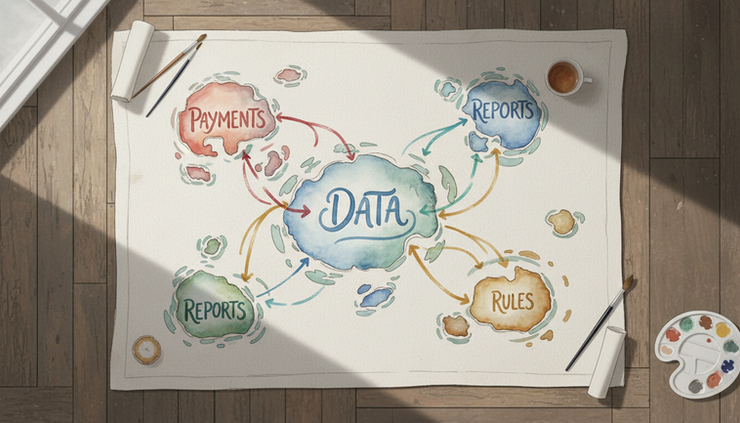
This is where knowledge graphs and context layers become useful. A knowledge graph represents relationships. Instead of looking at one file at a time, teams can see how programs, data fields, jobs, reports, and rules connect.
Context layers, such as Interlace by AltexSoft, aim to give AI systems better background about how a software environment works. The goal is to reduce shallow answers. If AI understands that a certain data field appears in claims processing, finance reporting, and customer notifications, it can provide more useful analysis.
A simple example:
A program calculates a fee.
A nightly job adds the fee to an account file.
A report uses that field for month-end finance records.
A customer notice references the same value.
Without context, a team may see only the fee calculation. With a graph, the downstream effects become visible.
That visibility helps teams avoid one of the classic modernization mistakes, changing code that seems isolated but feeds a critical process.
Machine learning improves data migration
Data migration means moving data from old storage formats into newer systems. It sounds simple until teams encounter decades of exceptions.
Older systems may contain:
Duplicate customer records
Missing values
Short codes that few people understand
Date fields stored in unusual formats
Historical fields that changed meaning over time
Inconsistent addresses, names, or account identifiers
Machine learning can help identify patterns in messy data. It can cluster similar records, suggest likely matches, flag outliers, and detect values that do not fit expected patterns.
For example, if two customer records have slightly different names but matching addresses, phone numbers, and account history, a model can flag them as likely duplicates. A person still needs to approve the merge, especially when money, benefits, or regulated records are involved.
AI can also support mapping old fields to new ones. If a legacy code field has values like `A`, `I`, and `S`, the model may infer from usage that they mean active, inactive, and suspended. That inference should be documented and verified with subject matter experts.
Data migration succeeds when every field has ownership, meaning, and quality checks. AI can speed discovery, but governance decides whether the migrated data can be trusted.

Best practices for integrating AI with legacy systems
AI adoption in legacy environments should start with discipline, not enthusiasm. Older systems often run critical operations. A rushed change can create payment errors, reporting issues, outages, or compliance problems.
A strong modernization plan includes the following practices.
Start with a system audit
A system audit creates the baseline. It should answer practical questions:
Which systems are in scope?
Which programs are still used?
Which data stores are most critical?
Which jobs run daily, weekly, monthly, or yearly?
Which interfaces connect to outside systems?
Which rules affect customers, money, compliance, or safety?
Which parts have the highest change demand?
Which parts have the highest outage risk?
The audit should include both technical evidence and human knowledge. Longtime operations staff often know failure patterns that code scanning will not reveal. Business teams know which outputs must never change.
AI tools can prepare the first map. People validate it.
Use the Strangler Fig Pattern for phased change
The Strangler Fig Pattern is a modernization approach named by software expert Martin Fowler. The idea is to replace an old system gradually. New functions grow around the old system, then take over piece by piece.
In practice, this means a team might:
Place a controlled access layer in front of the old system.
Route one small function to a new service.
Compare results between old and new behavior.
Move more functions after testing.
Retire old parts only when no longer needed.
This pattern works well with AI-assisted modernization because it reduces risk. AI can help identify candidate functions for early migration, such as self-contained calculations or reporting features. Engineers can then move those functions without disturbing the entire system.
Build data governance from the beginning
Data governance means clear rules for how data is defined, owned, protected, changed, and checked. The National Institute of Standards and Technology has published guidance on data integrity and security practices, and the same principle applies here. Data must be controlled through its life cycle.
For legacy modernization, governance should cover:
Field definitions
Data owners
Privacy rules
Retention requirements
Quality checks
Approval steps for mapping changes
Audit trails
Access controls
AI adds another need. Teams should track which AI tools touched which code, data, or documentation. They should also store prompts, summaries, review decisions, and test evidence when those outputs influence modernization work.
The main challenges are technical and human
AI can help with legacy modernization, but older technology creates real barriers.
Old systems do not expose clean information
Some legacy systems were never designed for modern analysis tools. Code may sit in unusual repositories. Job schedules may live in separate tools. Data definitions may be stored in copybooks, flat files, or handwritten documentation. A copybook is a shared COBOL file that defines data structures used by multiple programs.
AI needs input. If the source material is incomplete, the output will be incomplete too.
The model may misunderstand rare logic
Legacy code often contains edge cases added after one unusual production incident years ago. The code may look odd because it protects against a real business problem.
AI may suggest simplifying it. That suggestion can be dangerous unless reviewed.
A useful rule is simple: never remove strange code until someone proves why it exists. If no one knows, create tests around it before changing it.
Testing can be harder than coding
Modernization teams often discover that the biggest gap is not code generation. It is test coverage.
Older systems may not have automated tests. Some expected results may exist only in reports or manual checks. AI can generate test ideas, but the team must build a repeatable test harness. A test harness is a controlled way to run inputs through a system and compare outputs.
Without testing, faster code translation only creates faster uncertainty.
Security and compliance cannot be assumed
Many legacy systems process sensitive data. AI tools must be used under clear security rules. Teams need to know where code and data go, who can access them, and whether the tool stores inputs.
For regulated industries, sensitive production data should be masked or replaced before use in AI-assisted analysis. Legal, compliance, and security teams should review the process before modernization work begins.
Case studies show where AI helps most
The strongest examples of AI value tend to appear in discovery, documentation, testing, and selective refactoring. These examples are anonymized patterns based on common modernization work in government, banking, insurance, and health administration. They are not claims about specific private organizations.
A benefits agency reduced manual code review
A public benefits platform depended on older batch programs that calculated eligibility and payment timing. Documentation existed, but it did not match current behavior.
The team used automated code analysis to group programs by function and trace key data fields from intake through payment. AI-generated summaries gave reviewers a starting point. Business experts then corrected and approved the rule descriptions.
The main gain was efficiency. Engineers spent less time searching for where rules lived and more time validating what those rules meant. The agency also created a living inventory of high-risk calculations before changing code.
A regional bank made COBOL changes safer
A bank needed to adjust account fee rules but had several COBOL programs with similar calculations. Some differences were intentional. Others came from years of copied code.
AI-assisted pattern detection helped group related sections. Engineers compared the groups, created test cases, and refactored duplicated logic into clearer functions. The bank did not rewrite the entire platform. It made one high-change area easier to maintain.
The performance improvement came from removing unnecessary repeated processing in selected batch jobs. The bigger benefit was lower change risk because the rules became visible and testable.
An insurer improved data migration quality
An insurance company prepared to move policy and claims data into a newer platform. The source data included old status codes, inconsistent customer identifiers, and fields whose meaning had changed over time.
Machine learning models helped flag likely duplicates and unusual records. Data stewards reviewed the flagged groups and set final rules. The team also documented field mappings and exception handling before migration.
The success factor was not automation alone. It was combining model suggestions with governance. The insurer avoided treating AI output as final truth.
A large service organization built a context layer
A service organization had several systems that shared customer data, billing rules, and reporting outputs. Changes in one place often caused unexpected effects elsewhere.
The team built a context layer using knowledge graph concepts. Programs, data fields, reports, and jobs were connected in a searchable map. AI summaries became more useful because they could refer to surrounding context, not just isolated code files.
The result was faster impact analysis. When a field changed, the team could see likely downstream effects before release.
Practical tips for businesses considering AI adoption
AI works best when the modernization goal is specific. “Modernize the mainframe” is too broad. “Identify and refactor the COBOL programs that calculate policy renewal pricing” is better.
Use these tips to make the work safer and more useful.
Pick one valuable slice of the system
Start with a function that matters but is not the riskiest part of the entire estate. Good candidates include reports, rule calculations, file conversions, or services with frequent change requests.
Avoid starting with the most tangled, mission-critical process unless there is no choice.
Create a shared inventory
Build a list of programs, data files, jobs, reports, and owners. This inventory does not need to be perfect on day one. It should improve as AI analysis and human review add facts.
Track confidence levels. A verified rule should not be treated the same as an AI guess.
Protect sensitive data
Do not upload production data into any AI tool without approval. Use masked data when possible. Masked data keeps the structure of the records but removes or changes sensitive details.
Security review should happen before pilots, not after results look promising.
Require human approval for code changes
AI-generated code must go through normal engineering review. That includes readability, security checks, test coverage, and comparison against existing behavior.
A clear policy helps:
AI may suggest.
Engineers review.
Business owners approve rule meaning.
Tests prove behavior.
Measure more than speed
Faster code conversion sounds good, but it is not enough. Track measures such as:
Number of programs mapped
Number of rules verified
Test coverage added
Duplicate code reduced
Manual review hours avoided
Defects found before release
Batch run time changes
Data quality issues resolved
These measures show whether the effort is making the system easier to change and safer to run.
Bring in help when the risk is high
Legacy modernization often touches architecture, data rules, security, and operations at the same time. This is where AI Solutions, AI, AI Consulting should connect practical tool use with engineering discipline and governance.
If the system affects payments, public services, claims, medical records, or regulated reporting, outside review can help challenge assumptions and reduce blind spots.
Frequently asked questions
Can AI fully rewrite a COBOL system?
AI can help translate and refactor COBOL, but a full rewrite still needs engineers, testing, data validation, and business approval. The main risk is preserving behavior that is not documented.
Is it safer to refactor or replace a legacy system?
Refactoring is often safer for stable functions that still work. Replacement can make sense when the old design blocks needed change. Many teams use both approaches in phases.
How does AI find hidden business logic?
AI scans code, data definitions, job schedules, and related files to identify patterns and relationships. Knowledge graphs can show how rules connect across systems. Human experts still need to verify the meaning.
What should happen before using AI on legacy code?
Start with a system audit, security review, data handling rules, and a clear pilot scope. Do not begin by feeding sensitive production data into tools without approval.
Does AI reduce modernization cost?
It can reduce manual discovery, documentation, testing preparation, and repeated review work. Cost savings are not automatic. They depend on scope control, data quality, governance, and disciplined delivery.

The best modernization plans use AI with proof
AI can make legacy modernization faster, but its greatest value is clarity. It helps teams see what code exists, where data moves, which rules matter, and which changes carry risk.
For COBOL and other older languages, the best path is rarely a blind rewrite. It is usually a measured sequence: audit the system, map the logic, refactor what should stay, translate where it makes sense, migrate data under governance, and replace parts in phases.
That approach turns modernization from a high-risk leap into a series of tested steps. AI provides the map and the first draft. People still decide what is true, what is safe, and what the business needs next.


Comments