

AI Chatbots in Communication Benefits, Uses, and Challenges

A customer asks a question at 11:47 p.m. A student gets stuck on a math problem after class. A traveler needs to change a reservation while standing in an airport line. In each case, the old communication model has a gap: no one is available, the wait is too long, or the answer is buried in a system.
That is why AI chatbots have moved from novelty to everyday tool. They do not replace all human communication, and they should not. Their value is more practical. They answer common questions, guide people through tasks, collect information, and hand complex issues to people with the right context attached.
For small businesses, chatbots can provide support without hiring a full-time help desk. For midsize companies, they reduce repeat work. For large enterprises, they help connect customers and employees to large knowledge bases. For individuals, they act as writing partners, tutors, planners, and personal assistants.

Why AI chatbots are becoming essential
The rise of chatbots is tied to three changes.
The first is customer expectation. People now expect faster replies because many services already offer instant tracking, self-service portals, and 24/7 access. A business that takes two days to answer a routine question may lose trust before a human ever joins the conversation.
The second is information overload. Companies store answers in help articles, policy documents, product manuals, training files, and internal systems. People do not always know where to look. A chatbot can act as a conversational front door to that information.
The third is the improvement of language AI. Older chatbots followed fixed scripts. They worked only when users typed the expected words. Newer systems use natural language processing and large language models to understand intent, summarize text, and produce more flexible replies. The Stanford AI Index has reported rapid growth in AI model capability and adoption across industries, which helps explain why these tools are appearing in customer support, education, health administration, retail, banking, and government services.
The key point is simple: chatbots are becoming essential because communication volume keeps growing, but attention and staffing do not grow at the same pace.
What AI chatbots do in communication
AI chatbots support communication in several common areas. Their role changes based on the setting.
Customer service
Customer service is one of the most common uses because it has many repeat questions. Chatbots can answer questions about:
Order status
Store hours
Returns and exchanges
Appointment scheduling
Account access
Product setup
Troubleshooting steps
A good support chatbot does more than deflect questions. It gathers details before a handoff. For example, if a customer says a package has not arrived, the chatbot can ask for the order number, check the delivery record, confirm the address, and pass the case to a person if the issue requires judgment.
That saves time for both sides. The customer avoids repeating the same facts. The support agent starts with useful context.
Education
In education, chatbots work best as study aides, not as substitutes for teachers. They can explain concepts in simpler language, quiz learners, translate instructions, or help draft outlines. A student studying fractions, for example, can ask for another explanation and get a step-by-step example.
Educators also use chatbots for administrative tasks, such as answering common course questions or helping students find due dates and resources. The challenge is accuracy. Education chatbots need clear boundaries, source materials, and reminders that students should verify important work.
Personal assistance
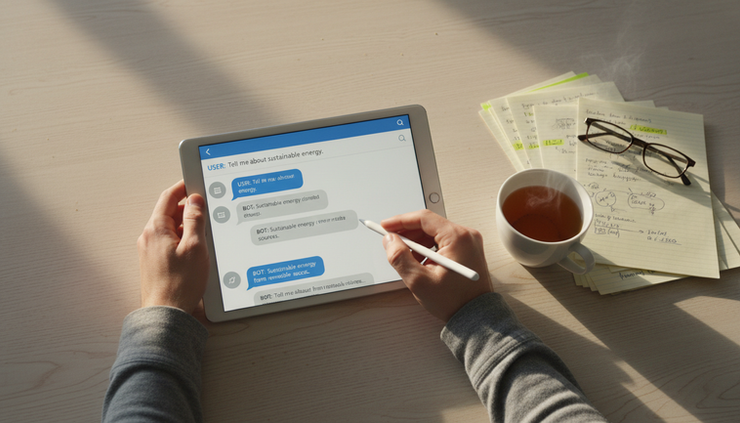
For individuals, chatbots help with daily communication and planning. People use tools such as ChatGPT to draft emails, summarize long text, brainstorm ideas, create checklists, translate phrases, and plan travel details.
Voice-based assistants add another layer. They help people set reminders, control smart home devices, send short messages, or search for quick answers without typing. These tools are especially useful when the task is simple and time-sensitive.

Who benefits from chatbot use
Chatbots create value for both organizations and consumers, but the benefit is different for each group.
Businesses and organizations | Consumers and individual users |
Handle repeat questions at any hour | Get faster answers without waiting on hold |
Reduce pressure on support teams | Use plain language instead of searching menus |
Collect better intake information | Receive help outside normal business hours |
Support consistent replies across channels | Get reminders, summaries, and simple task help |
Route complex issues to the right person | Communicate in more accessible ways |
For small businesses, the biggest benefit is availability. A local service provider, online store, or independent consultant can answer routine questions after hours without building a large team.
For midsize businesses, the strongest benefit is consistency. A chatbot can provide the same return policy, appointment instructions, or onboarding steps every time.
For enterprises, the value often comes from scale. Large organizations may have thousands of pages of policies and support content. A chatbot can help employees and customers find answers faster, as long as it connects to trusted sources.
Consumers benefit when chatbots respect their time. Nobody wants a bot that traps them in a loop. People benefit most when the bot answers simple questions quickly and offers a clear path to a person when needed.
How chatbots function and connect to existing systems
Most chatbot systems have a few core parts.
A user sends a message. The chatbot analyzes the request, identifies the likely intent, retrieves relevant information, and returns a response. If the system is connected to business tools, it may also take action, such as booking an appointment or checking an order status.
Modern systems often combine several methods:
Natural language processing
This helps the system interpret what the user means, even if the wording is imperfect.
Knowledge retrieval
The chatbot searches approved content, such as FAQs, manuals, policy pages, or internal documents.
Workflow rules
These guide the bot through specific tasks, such as collecting a name, confirming a date, or opening a support ticket.
Human handoff
The system routes the conversation to a person when the request is too complex, sensitive, or unusual.
System integrations
Chatbots can connect to customer relationship management systems, scheduling tools, help desk software, inventory systems, learning platforms, and internal databases through APIs.
The best integrations are narrow and clear. A restaurant chatbot may only need hours, reservations, menu details, and event requests. A health care administration bot may need appointment scheduling and insurance intake, but it must follow strict privacy rules. A banking bot may answer general account questions, but it should use secure identity checks before showing account-specific information.
Where chatbots are most commonly used
Chatbots appear wherever communication is frequent, repetitive, and time-sensitive. Common implementation areas include:
Website chat widgets
Mobile apps
Customer support portals
E-commerce checkout and order tracking
Banking and insurance service channels
Travel and hospitality booking tools
School and training platforms
Internal employee help desks
Smart speakers and mobile voice assistants
Messaging apps
The channel matters. A website chatbot is useful for product questions and lead intake. An app-based chatbot can help users manage accounts because they are already signed in. An internal employee chatbot can answer policy questions, technology support requests, or benefits information.
The strongest use cases have three traits: a clear audience, a known set of questions, and a reliable source of answers.

Examples of popular chatbot types and what makes them useful
Popular chatbots differ in purpose. The name matters less than the job they are designed to do.
Chatbot type | What makes it useful | Common example use |
General-purpose conversational assistant | Handles writing, summarizing, brainstorming, and explanations across many topics | Drafting an email, simplifying a report, planning a trip |
Search-connected assistant | Combines conversation with current or indexed information | Finding answers across web pages or company knowledge bases |
Customer support bot | Follows service workflows and connects to account or order systems | Checking order status, scheduling service, opening a ticket |
Education tutor bot | Explains topics in steps and adapts examples to the learner | Practice questions, language learning, study review |
Voice assistant | Uses speech for hands-free tasks | Reminders, timers, quick questions, smart device control |
Internal knowledge bot | Searches approved internal files and policies | HR questions, IT support, process guidance |
This is where ai chatbots are most useful: they turn a blank search box or long menu into a conversation. The user can describe a goal in ordinary language, and the system can ask follow-up questions.
Still, every chatbot needs limits. A tutoring bot should not pretend to grade like a teacher. A support bot should not make promises outside policy. A personal assistant should not store sensitive details unless the user understands how that data is handled.
Benefits and challenges of AI chatbots
Chatbots bring real advantages, but the challenges are just as real.
Benefits | Challenges |
Faster responses for common needs | Answers can be wrong or incomplete |
Availability outside normal hours | Poor design can frustrate users |
Lower volume of repeat questions for staff | Privacy and data security require careful controls |
Consistent answers from approved content | Some users still prefer human help |
Better intake before human handoff | Bias can appear in training data or responses |
Support across languages and accessibility needs | Maintenance is required as policies and content change |
Accuracy is the issue that gets the most attention, and for good reason. A chatbot may produce an answer that sounds confident but is not correct. This risk increases when the system is not tied to approved sources or when users ask about legal, medical, financial, or safety-related topics.
Privacy also matters. Chatbot conversations may include names, addresses, account details, student information, or health-related data. Organizations should collect only what they need, protect it, and explain how it is used.
There is also a human factor. Some people do not like speaking with automated systems. Others are comfortable with bots for simple tasks but want a person for emotional, urgent, or high-value situations. Good design respects that preference.
When chatbots work best
A chatbot is most effective when the task is clear and the risk is manageable.
Good uses include:
Answering common questions
Collecting intake details
Scheduling standard appointments
Guiding users through steps
Summarizing approved information
Routing requests to the right team
Supporting users after hours
Poor uses include:
Handling disputes without human review
Giving final advice on sensitive legal, medical, or financial matters
Replacing human support for emotional or urgent problems
Making decisions that affect access, eligibility, or rights without oversight
Answering from outdated or unverified information
A simple rule helps: use a chatbot when speed and consistency matter, and bring in a person when judgment, empathy, or accountability matters.
For businesses, starting small is often the safest path. Choose one use case, such as appointment questions or order tracking. Use approved content. Test common questions. Review failed conversations. Add human handoff early. Then expand only when the system proves useful.
For individuals, the same logic applies. Use chatbots for drafts, summaries, practice, and planning. Verify important facts through trusted sources before acting.
FAQ
Are AI chatbots replacing human communication?
No. They are changing where human communication is most needed. Chatbots handle routine exchanges well, while people remain better for complex decisions, sensitive issues, negotiation, and emotional support.
What makes a chatbot accurate?
Accuracy improves when a chatbot uses trusted source material, clear rules, regular testing, and human review. Systems that answer from approved documents are usually safer than systems that rely only on general language generation.
Can small businesses afford to use chatbots?
Yes, many small businesses start with simple website chat, FAQ automation, or appointment intake. The best first step is a narrow use case that saves time without adding risk.
Where should a chatbot hand off to a person?
A chatbot should hand off when the user is upset, the request is unusual, personal data is involved, or the answer could affect money, safety, eligibility, or compliance.
How often should chatbot content be updated?
Content should be reviewed whenever policies, prices, hours, products, or procedures change. Regular review also helps find questions the chatbot could not answer well.
The takeaway
AI chatbots are reshaping communication because they make simple help faster and easier to access. They serve customers, support learners, assist individuals, and help organizations manage high volumes of routine questions.
Their success depends on design. A useful chatbot has a clear purpose, trusted information, smooth system connections, honest limits, and an easy path to a human. Used that way, chatbots improve communication instead of getting in its way.
If your organization is deciding where AI fits, start with a focused conversation about the tasks, risks, and systems involved. You can schedule an AI strategy conversation with MLJ Consultancy LLC to explore practical chatbot use cases and next steps.


Comments